Pick data visually
Choose Salesforce fields and filters in the Query Builder. Preview the results and copy the placeholders into your template.
DocGeniyo is a native Salesforce app for document generation. Create quotes, invoices and contracts from your Salesforce data and reusable templates — with a button, Salesforce Flow or Apex.
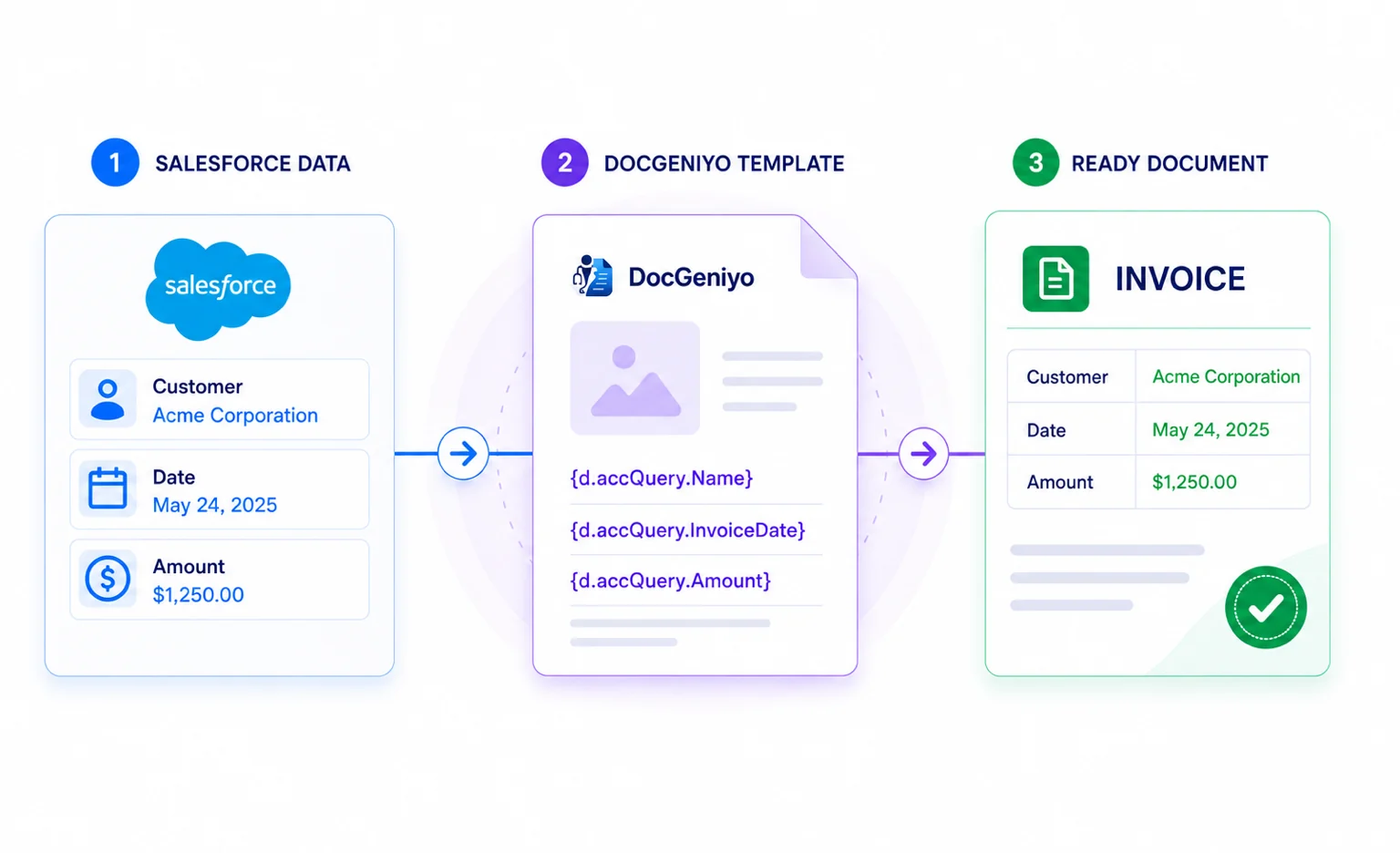
Choose Salesforce fields and filters in the Query Builder. Preview the results and copy the placeholders into your template.
Use your documents, spreadsheets or presentations as templates. You can use custom fonts and add a loop to populate table rows from your data.
Create a document directly from a Salesforce record. Use Salesforce Flow or the Apex SDK to automate generation and process multiple records in one run.
You choose which fields our generation service receives when you set up your data sources. We return finished documents to Salesforce without storing them on our servers.
You choose which Salesforce data goes into your document and where in your workflow it’s generated.
Try DocGeniyo free for one month. When you’re ready to buy, you can choose monthly or annual billing.
One month with all features.
Up to 100 previews and generated documents combined
Regular price per license.
Unlimited documents
Annual billing
Save 14.3%Equivalent to €12 a month
Monthly billing
€14 per license
Lower price per license.
Unlimited documents
Annual billing
Save 16.7%Equivalent to €10 a month
Monthly billing
€12 per license
A custom quote for your organization.
Unlimited documents
Monthly or annual payment
Special pricing for eligible nonprofits.
Unlimited documents
Annual billing
Save 14.3%Equivalent to €6 a month
Monthly billing
€7 per license
All prices plus VAT · Salesforce license not included
Contact usYou need the appropriate Salesforce permissions for setup and administration.
What you can use today and what we’re planning for DocGeniyo.
You’ll be able to send finished documents for digital signature directly from your Salesforce workflow. The connection uses OAuth.
You’ll be able to find, try, and install DocGeniyo on Salesforce AppExchange.
Generate documents for multiple records in a single run with Salesforce Flow or the Apex SDK.
From your first document to automation. You’ll also find out what data DocGeniyo processes.
DocGeniyo is a native Salesforce app. It combines your Salesforce data with your own reusable templates to create the documents you need. You set up data sources and templates in Salesforce.
Install DocGeniyo, assign permissions, and connect your Salesforce org. Set up a data source and link it to your template file in a Template record. From there, you can preview and generate your first document.
Salesforce admins can set up routine workflows without code. They pick fields in the Query Builder, add placeholders to the template, and generate documents with a button, Quick Action, or Salesforce Flow. Custom Data Structures and the Apex SDK are available for custom inputs and workflows.
You can upload DOCX, ODT, XML, Markdown (MD), XLSX, ODS, CSV, PPTX, ODP, HTML, or PDF templates. Every supported template format can produce a PDF. Other output formats depend on the template. For example, an XLSX template can also produce XLSX, ODS, or CSV files.
Use the visual Query Builder to pick the Salesforce fields you need. With a Custom Data Structure, you define your own fields and supply values from Apex or by entering them manually. DocGeniyo creates placeholders for both types of data source so you can copy them into your template.
Yes. Upload your revised file as a new version of the same template. You can switch back to an earlier version in the Template record. DocGeniyo uses the active version for previews and document generation.
Generate a document from the Template record or add a button or Quick Action to a Salesforce record page. You can automate generation with a Salesforce Flow action or the Apex SDK. Depending on your setup, you can preview the result first or have DocGeniyo save the file to the record.
Yes. Bulk Generation lets you process multiple Salesforce records in one run. You can use it in Salesforce Flow or through the Apex SDK.
Yes. DocGeniyo copies the template, its file, linked data sources, and action configurations to another connected Salesforce org. Running the migration again can overwrite changes or remove parts of the configuration in the target org.
To generate a document, DocGeniyo sends data from the linked Queries and Custom Data Structures to its generation service. You choose which fields to send when you set up those sources. The service returns the finished file to Salesforce. We do not store finished documents on our servers. Uploaded templates remain stored so you can reuse them.
A Salesforce admin sets up the connection for the whole org and authorizes it via OAuth. Users with permission can then create and preview documents. Flow and Apex use the same connection. We recommend authorizing it with a dedicated integration user.
Choose between a walkthrough in our prepared test org or a demo directly in your own Salesforce org, using your data and real-world use cases.
Book a demoPersonal, no-obligation, and tailored to your use case.